Live Cam Privacy and Safety: A Practical Viewer Guide
Live cams are built around immediacy. You open a room, see who is online and can potentially interact with someone broadcasting from another part of the world within seconds.
That convenience is part of the appeal, but it also makes basic privacy and security habits worth understanding.
You do not need to become a cybersecurity expert before browsing live cams. A few sensible choices around accounts, payments, browser permissions and personal information can make a significant difference.
This practical guide covers the main things regular viewers should think about when using adult live cam platforms.
Start With the Most Important Rule: Protect Your Identity
A live conversation can feel personal surprisingly quickly.
That does not mean you should treat someone you have just met online like a person you already know offline.
Avoid casually revealing information that could identify you outside the platform.
This can include:
- your full legal name
- home address
- personal telephone number
- workplace
- school or university
- personal email address
- financial information
- account passwords
- identity documents
- precise details about your daily routine
One isolated detail may seem harmless. Several small details shared over time can reveal much more than you intended.
Consider Using a Separate Email Address
If you create accounts on adult entertainment platforms, using a separate email address can be a simple privacy measure.
It keeps adult-platform notifications away from your everyday inbox and reduces the connection between your browsing activity and accounts you use for work, family or other personal services.
You do not necessarily need a complicated anonymous setup. The goal is simply to avoid connecting everything you do online to one identity.
Use a Unique Password for Every Cam Platform
Password reuse is one of those shortcuts that feels convenient until one service suffers a security problem.
If the same email address and password combination is used across several websites, exposure on one service can potentially put other accounts at risk.
Use a different password for every important account.
A password manager can make this much easier because you do not have to remember every password yourself.
Where available, enable two-factor or multi-factor authentication as an additional layer of account protection.
Do Not Share Your Password — Ever
A performer, moderator, support agent or other viewer should never need your account password.
If someone asks for login credentials, authentication codes or recovery information, stop the conversation.
The same applies if someone claims that they need access to your account to fix a payment, unlock a feature or give you a reward.
Handle account issues through the platform’s official support system instead.
Watch Out for Phishing
Phishing attempts are designed to make a fake message or website look legitimate enough that you voluntarily provide sensitive information.
A message might claim that:
- your account has been suspended
- a payment failed
- you have received free credits
- someone tried to access your account
- you need to verify your identity immediately
The safest response to an unexpected message is generally not to use the link contained inside it.
Open the platform yourself using the address you normally use and check your account directly.
Urgency is not proof that a message is legitimate.
Check the Website Address Before Entering Payment Details
Fake login and payment pages can imitate familiar websites surprisingly well.
Before entering a password or card information, look at the actual domain in your browser.
A familiar logo or page design does not prove that you are on the official website.
This is especially important when you arrived through an email, private message, advertisement or shortened link.
Keep Payments Inside the Official Platform
If you decide to spend money on a live cam service, using the platform’s official payment system is generally the cleaner approach.
Be cautious when someone asks you to bypass the platform and send money through an unrelated payment service, cryptocurrency address, gift card or unfamiliar website.
Moving payments outside the official service can remove platform protections and make disputes much harder to resolve.
Understand What You Are Buying Before Paying
Live cam platforms may use tokens, credits or other virtual currencies.
Before purchasing anything, check:
- the real currency price
- how many tokens or credits you receive
- whether the purchase renews automatically
- how private-show rates are calculated
- whether unused credits expire
- the refund policy
- the platform’s billing terms
Do not assume that credits on two different platforms have equivalent monetary value.
Check How Charges May Appear
If billing privacy matters to you, review the payment information provided by the platform before completing a purchase.
Billing descriptors and payment processors can differ between services and can change over time.
Do not rely on assumptions or information from an old forum post. Check the platform’s current billing documentation at the time of purchase.
Do Not Send Identity Documents Through Chat
Some legitimate services may require age or identity verification through an official verification process.
That is very different from sending a passport, driver’s license or other identity document directly to another user or performer through chat, email or messaging apps.
If verification is required, make sure you are using the platform’s actual verification system and understand why the information is being requested.
Be Careful When Moving Conversations Off-Platform
A conversation may eventually move toward Telegram, WhatsApp, Snapchat, email or another service.
Remember that doing so can reveal additional information about you.
A messaging profile may expose your real name, telephone number, profile picture, contacts or other identifying details depending on your privacy settings.
Before sharing an account, check what another person can actually see.
Camera Access Should Never Be Automatic
Most viewers do not need to give a website access to their webcam simply to watch a public live stream.
Camera access may be required if you intentionally use a Cam2Cam or similar interactive feature.
If your browser unexpectedly asks for camera permission while you are only browsing, you can deny the request and investigate why it appeared.
You can also review previously granted browser permissions and remove access from websites that no longer need it.
The Same Applies to Your Microphone
Microphone permission deserves the same attention.
Only allow it when you intentionally want to use a feature that requires audio input.
There is little reason to leave permanent microphone permission enabled for sites you rarely use.
Modern browsers allow camera and microphone access to be managed individually for different websites.
Check What Is Visible Before Using Cam2Cam
If you intentionally activate your camera, remember that the camera sees more than just your face.
Before going live, look at the entire frame.
Potentially identifying details in the background can include:
- mail or packages with an address
- work badges
- family photographs
- school or company logos
- computer screens
- windows showing recognizable locations
- documents containing personal information
A neutral background is an easy way to reduce accidental exposure.
Remember That Anything Visible Can Potentially Be Captured
When communicating through video or images, behave as though anything shown on screen could potentially be saved by another person.
Platform rules may prohibit unauthorized recording or redistribution, but rules alone cannot physically prevent every possible screenshot or external recording.
Only show something if you are comfortable with the possibility that control over that image may be difficult to recover later.
Respect the Performer’s Privacy Too
Privacy goes both ways.
Do not attempt to discover a broadcaster’s private identity, home address or unrelated personal accounts unless they have intentionally made that information public for viewers.
Do not redistribute private content or recordings without permission.
A performer being publicly visible on a cam platform does not mean every aspect of their offline life is public.
Incognito Mode Is Useful — But It Is Not Invisibility
Private or Incognito browsing can be useful when you do not want ordinary browsing history to remain in the browser after the session.
That can be particularly helpful on a shared computer.
But Incognito mode should not be confused with complete anonymity.
Websites can still receive information about your connection and activity while you are visiting them, and private browsing does not magically make your internet traffic disappear.
Think of it mainly as a way to reduce traces stored locally in your browser, not as an invisibility switch.
Be Careful on Shared Devices
If you use a computer or tablet shared with other people, privacy involves more than browsing history.
Check whether the browser saves:
- passwords
- form information
- payment details
- downloaded files
- open tabs
- notifications
Also remember that an email notification or browser push notification can reveal information even when the website itself is closed.
Review Browser Notifications
Some websites request permission to send notifications.
If discretion matters, think carefully before enabling them.
A notification can appear on a lock screen or desktop at an inconvenient moment.
If you no longer want notifications from a platform, revoke that permission in your browser or device settings.
Keep Your Browser and Device Updated
Security updates exist for a reason.
Keeping your operating system, browser and security software current helps protect against known vulnerabilities.
This matters for live cam browsing just as it does for banking, shopping, social media or any other online activity.
Avoid Suspicious Downloads
Watching a live cam normally should not require you to install a mysterious browser extension, executable file or “special video player” from an unknown source.
If a page suddenly tells you that you need unusual software before you can continue, treat the request cautiously.
Do not install unknown files simply because a pop-up says they are required.
Be Skeptical of Offers That Sound Too Good to Be True
Scams often rely on excitement just as much as fear.
Be cautious with messages promising enormous amounts of free credit, exclusive access, guaranteed prizes or impossible discounts in exchange for personal information or an immediate payment.
If a promotion is genuine, you should normally be able to confirm it through the platform itself.
Do Not Let Urgency Override Common Sense
“Act now.”
“Your account will disappear in five minutes.”
“Send the payment immediately.”
“Do not contact support.”
Artificial urgency is a good reason to slow down and independently verify what is happening.
A legitimate account problem can be checked through the official platform.
Use Block and Report Tools When Necessary
Most established platforms provide tools for dealing with unwanted behaviour.
If another user repeatedly bothers you, attempts to scam you or ignores clear boundaries, use the available blocking and reporting features rather than continuing the interaction.
For serious account or payment problems, contact the platform’s official support channel.
Know When to Leave a Room
You never owe another viewer or broadcaster continued interaction.
If a room makes you uncomfortable, pressures you to reveal private information or repeatedly pushes you toward suspicious external links, leave.
There are plenty of other live rooms available.
You can browse live girls, live men, live couples or live trans models without staying in a room you no longer want to use.
Understand the Platform Before You Use It
Privacy policies and safety features differ between live cam platforms.
Before creating an account or spending money, it is worth checking the service’s current:
- privacy policy
- terms of service
- billing rules
- reporting system
- account deletion options
- support process
If you are still deciding between different services, our live cam platform comparison explains some of the differences regular viewers should consider.
Choose Categories Without Oversharing
One advantage of category-based browsing is that you can narrow the selection without giving another person personal information.
If you already know the type of live room you want, use directory filters instead of explaining private preferences to random users.
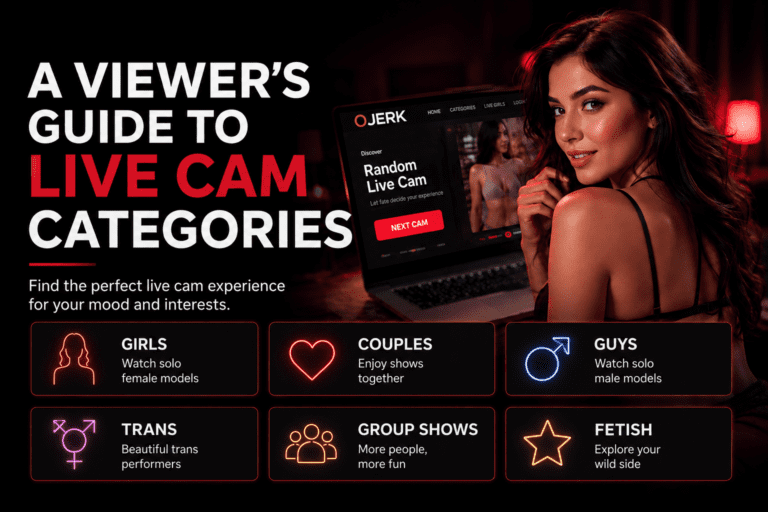
Our guide to live cam categories explains how the main categories and discovery filters work.
You can also browse the full OJerk categories directory.
Only Adults Should Use Adult Cam Services
Adult live cam services are intended for adults.
Viewers should comply with the minimum-age requirements of the platform and the laws applicable where they live.
If you are not legally old enough to access adult services in your jurisdiction, do not use them.
A Simple Safety Routine for Regular Viewers
You do not need dozens of privacy tools to develop better browsing habits.
A sensible routine can be surprisingly simple:
- Use a separate email address if you want more separation from everyday accounts.
- Use a unique password and enable multi-factor authentication when available.
- Never share passwords or authentication codes.
- Check domains before logging in or paying.
- Avoid unexpected links and suspicious downloads.
- Keep payments within trusted official systems.
- Limit the personal information you reveal.
- Grant camera and microphone access only when you intentionally need it.
- Check your background before activating Cam2Cam.
- Review notification and browser permissions periodically.
- Block or report suspicious behaviour.
Privacy Does Not Have to Make Browsing Complicated
Good privacy habits should make online experiences easier to control, not impossible to enjoy.
The goal is not to assume that everyone online is dangerous.
It is simply to avoid giving unnecessary access to your identity, accounts, devices or money.
Once those habits become automatic, they require very little effort.
Final Thoughts
Live cams combine entertainment, communication and real-time interaction, which makes a little privacy awareness especially useful.
Protect your login details, keep personal information personal, pay through legitimate channels and think before granting access to your camera or microphone.
Most importantly, maintain control over what you share and who you interact with.
Browsing should remain something you choose to do on your own terms.
Ready to explore? Browse OJerk live cams, discover the top live models or explore the complete live cam categories directory.